Toolbar UI
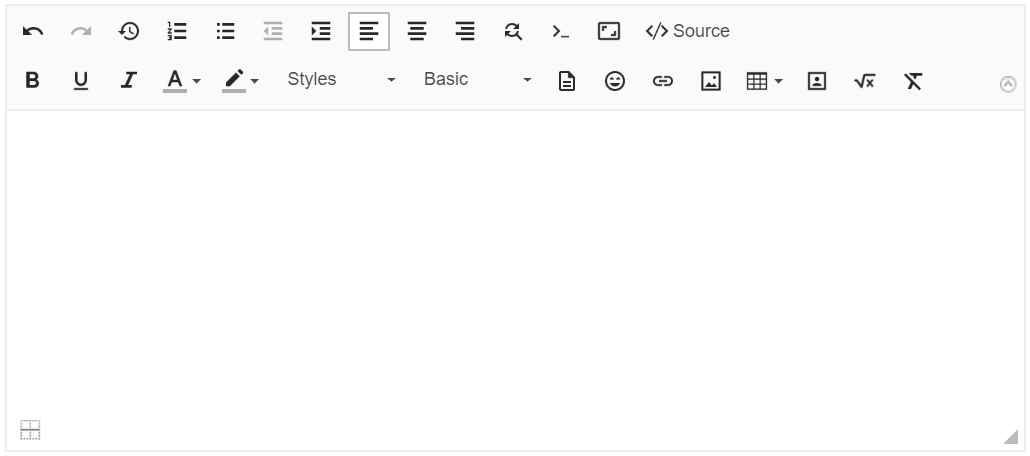
We have decided to replace our previous colorful toolbar theme. The new theme supports hi-res screens, it's calm and modern.
Floating toolbars
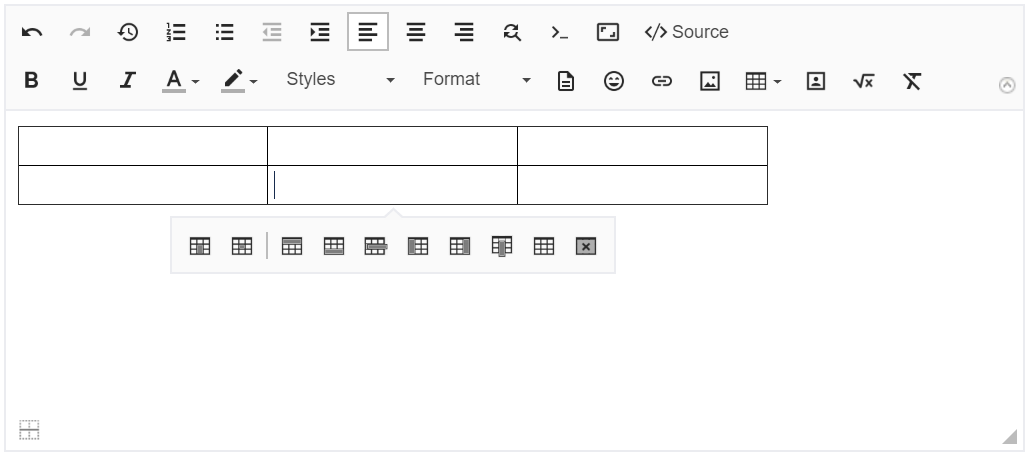
In JEditor 3 there's no more proprietary context (right-click) menu. Instead, there're floating toolbars that appear when the context allows additional actions.
Rendering performance
JEditor 3 is much more performant compared to JEditor 2.x. Comparative benchmarking has shown 2x - 3x improvements in our normal testing environment (workstations). We will measure JEditor 3 performance in a clustered production-like environment and publish the benchmarking results very soon.
Paste from Excel/Word/Outlook
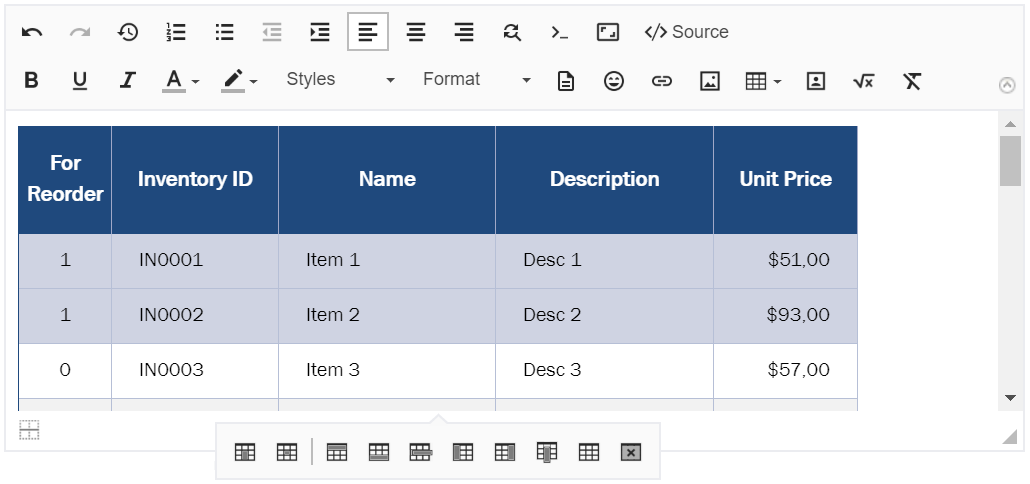
After upgrading to JEditor 3 users will be able to copy-paste text with inline images from Word/Outlook to JEditor in any supported browser! Paste from Excel function was improved too and now supports more formatting options.
File upload progress
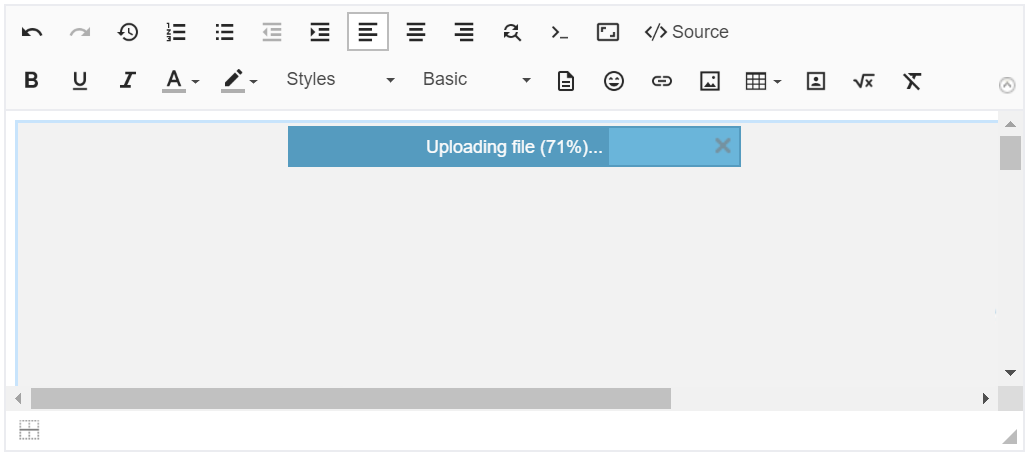
JEditor 3 has its own notification system that will inform users when file uploads are in progress. Users can cancel any ongoing uploads.
Better administrative area
We have reworked the UI on certain admin pages to make admin's life a bit easier. The following pages have been reworked from scratch:
- Templates
- Prepopulation
It's now possible to filter templates/schemes by any text values in the corresponding tables.
Other pages received minor upgrades. We will continue improving the administrative pages to improve the experience when working with hundreds of projects.
Data Center compatibility
Functionally, JEditor 3 is fully DC compatible. We need to finish the required tests and benchmarking to ensure JEditor meets the high standards of Jira DC. We will be shipping the DC version very soon.
What's next
Here's the roadmap for the rest of 2019:
JEditor for DC release
JEditor 3.1 will bring many improvements for JEditor for Service Desk; JEditor for SD will become configurable
JEditor 3.2 will bring point enhancements to many JEditor features improving editor's usability and ease-of-use
0 Comments